
 sales@sunriver-electric.com
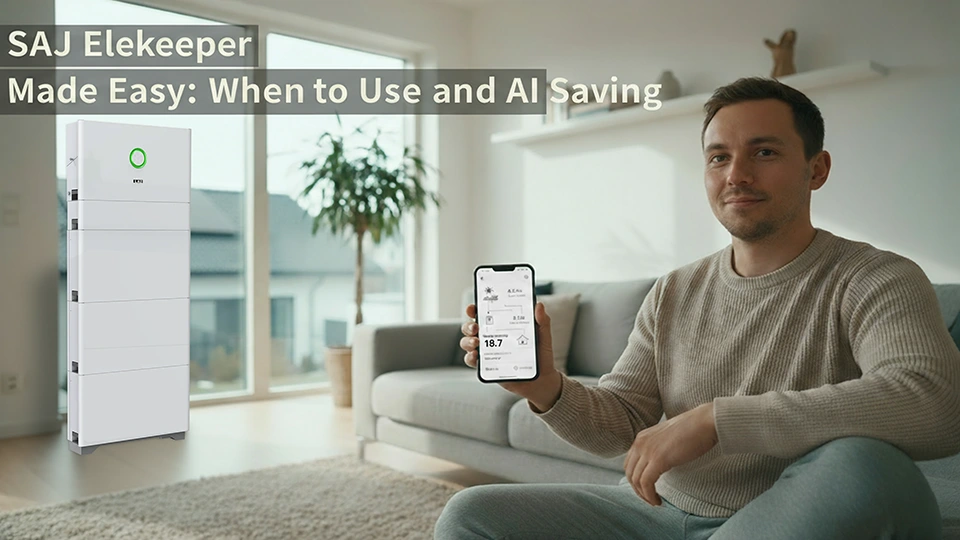
If you’re opening the SAJ Elekeeper app for the first time, this is the guide you’ll want to keep. No jargon, no over‑promising. You’ll learn to see what’s actually happening, act only when it matters, and use simple switches to time your energy. As your Sunriver Electric partner, we help you get the most from SAJ systems.
Mobile focuses on core monitoring and easy controls. Predictive scheduling, dispatch/VPP, or energy trading usually live on SAJ’s EMS/Web. Near real‑time means fast, not instant. Push delivery and savings are never guaranteed.
What you’ll learn in this Elekeeper guide to get started with confidence
- How to read SAJ Elekeeper’s live energy picture without guesswork
- A 60‑second first‑checks routine for common alerts
- What the “AI” toggles do on mobile, and what still requires SAJ EMS/Web1
- A clean setup path and quick verifications that prevent most data headaches
- Short notes on variability, privacy, and quick answers to three common questions
Use this Sunriver Electric guide to see clearly, act on SAJ alerts, and time energy with simple AI toggles—keep SAJ EMS/Web1 in mind for advanced control.
Monitoring — Read live energy with confidence, not guesswork
Open SAJ Elekeeper and you’ll see a live picture of your SAJ system: PV, inverter, home, battery, and grid. Arrows show direction. Thicker links suggest “more,” at a glance—they aren’t precision meters. On a sunny day, expect PV → Home or PV → Battery. At night, expect Battery → Home or Grid → Home. If what you see clashes with common sense, that’s your first real clue to check.
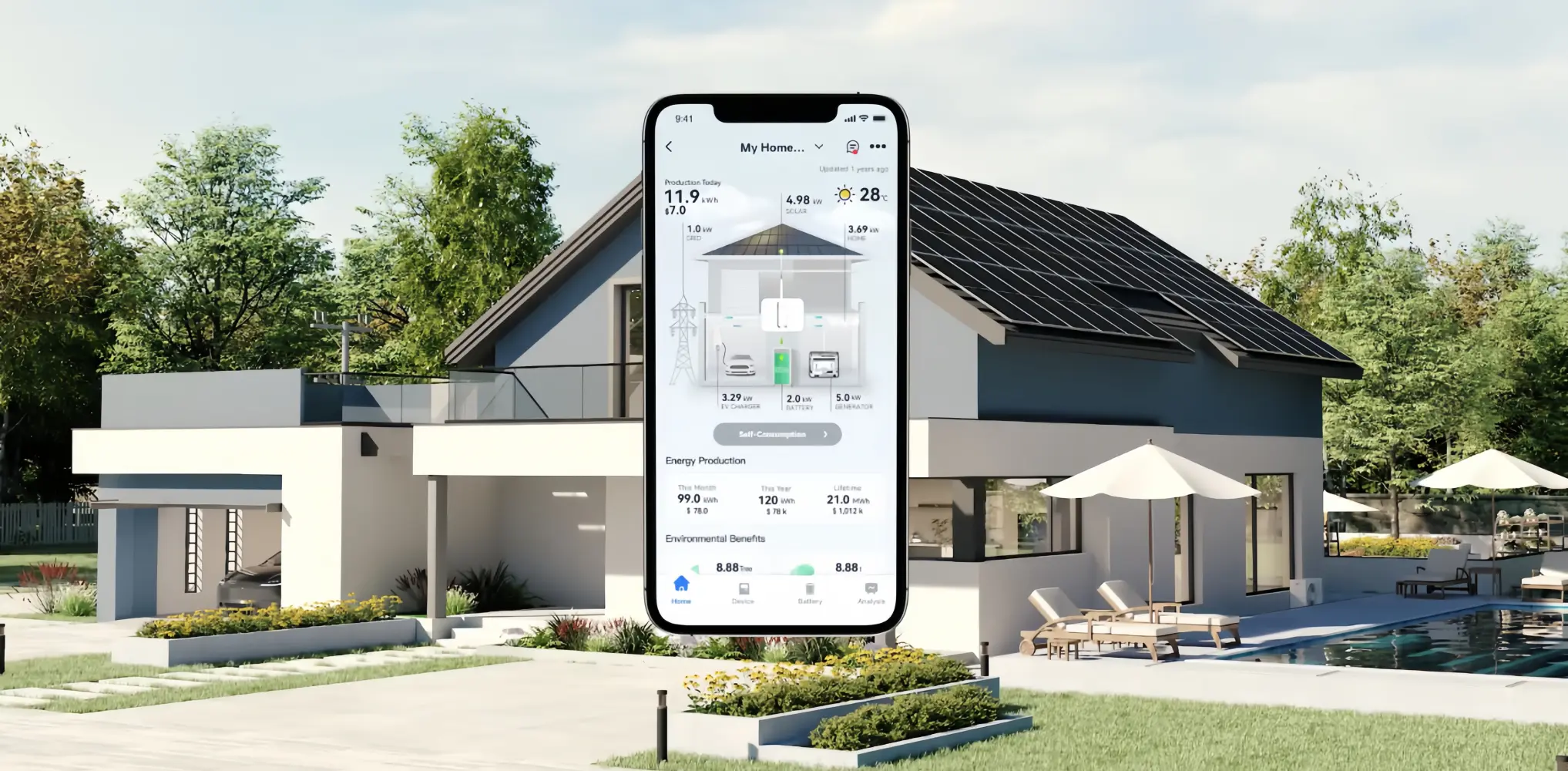
Nota: Colors/icons/labels can vary by SAJ app version and model; treat visuals as indicative.
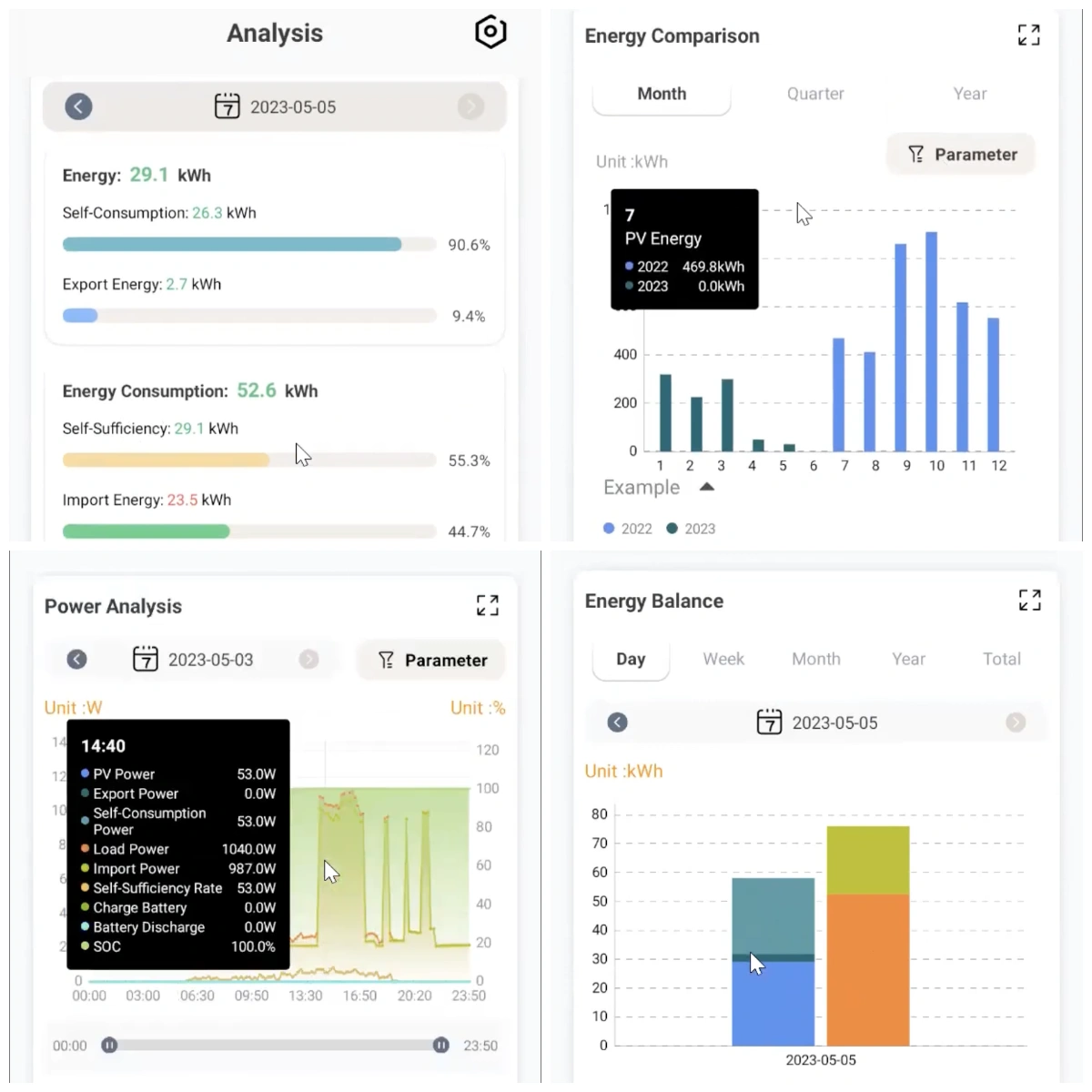
Day / Week / Month is the same story through different lenses:
- Day: validate a small change and troubleshoot odd behavior.
- Week: spot patterns (weekday vs weekend, morning vs evening).
- Month: review bills and the bigger picture.
Names and entry points differ by version—look for Period, Range, or Date. KPI tiles and charts update when you switch. After switching, give charts a moment. Compare “Today” vs “This Week”—the shapes should make intuitive sense together.
Switch periods to update KPI tiles and charts—use Day to validate changes, Week for patterns, and Month for bills.
Plain‑language glossary
- Production: energy your PV generates during the period (not instantaneous power).
- Consumption: energy your home uses during the period.
- Export: energy you send to the grid.
- Import: energy you take from the grid.
- SOC (State of Charge): how full the SAJ battery is, not its total capacity.
Want the ‘why’ behind production swings? MPPT basics (why it matters).
When numbers look off, write down “event → time”: installation, device swap, firmware update, outage, TOU change, panel cleaning. Once a week, scan charts against those notes before drawing conclusions. If the app has no notes, pair a screenshot with a short text note on your phone. This habit prevents most misreads—and makes support faster if you need Sunriver Electric or your installer to step in.
Near real‑time is fast, not instant. SAJ materials describe “real‑time data, refreshed in seconds” and “second‑level response.” Real homes have sleep states, Wi‑Fi/4G variability, and aggregation windows. Wake the device, confirm connectivity, and toggle the period (Today/Week) to refresh perspective. Correlate with your event log instead of minute‑by‑minute timing.
Alerts — What to do first (and what can wait) to avoid wasted steps
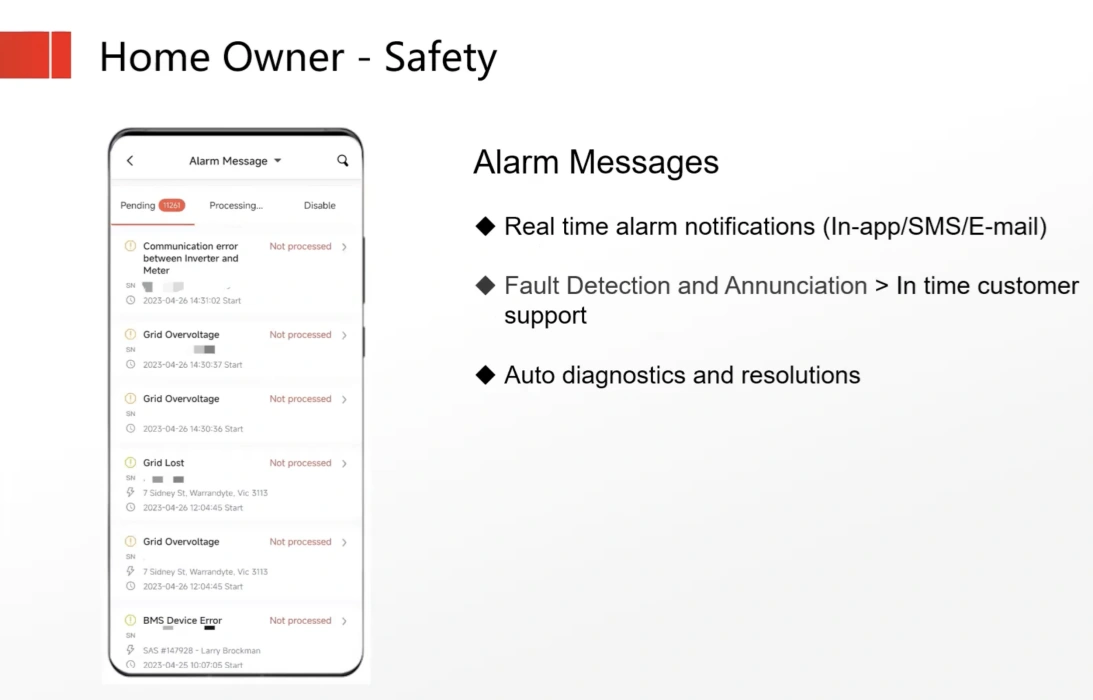
Treat alerts in two lanes you can act on: Problems first; Notifications can wait. Find alerts via the message center, device details, or a dedicated alerts page (labels vary by version). Treat in‑app alerts as your primary source of truth.
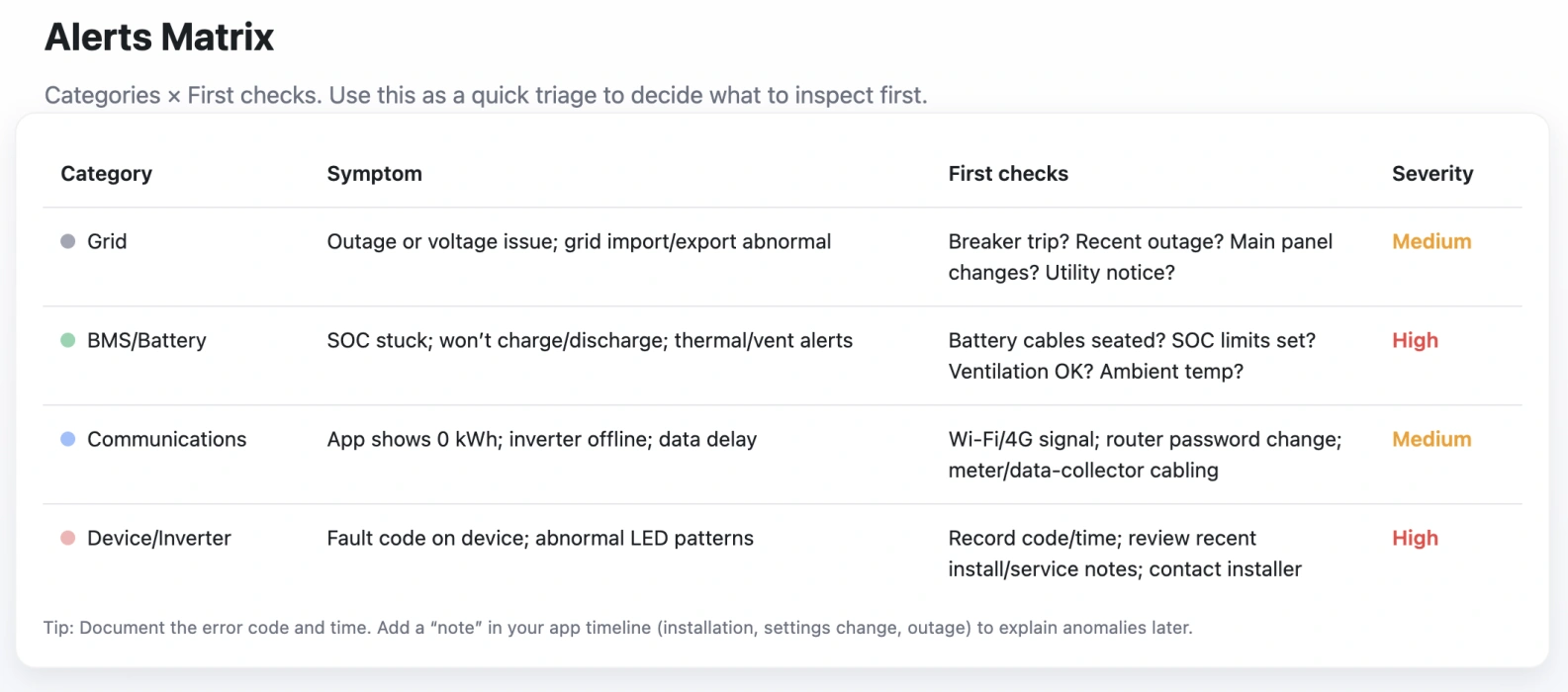
| Category | Typical symptoms | First checks |
|---|---|---|
| Cuadrícula | frequent trips; odd voltage; outage | main breaker; recent panel work; utility notices |
| Battery (BMS) | SOC stuck; odd charge/discharge; thermal warnings | cabling secure; SOC limits reasonable; ventilation; ambient temperature |
| Communications | 0 kWh; “offline”; long delays | Wi‑Fi/4G signal; router password change; meter/data‑collector wiring |
| Device (SAJ inverter) | fault code; abnormal LEDs | record code + time; review install/service notes; contact installer |
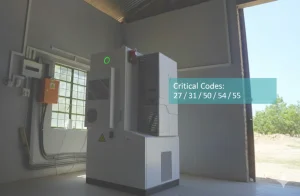
(For code‑specific guidance, see CHS2 error codes & troubleshooting)
Advertencia: Do not disassemble equipment. If unsure, contact your installer (or loop in Sunriver Electric so we can coordinate the next step).
One‑minute triage
- Record a screenshot, any code, the time, and recent changes.
- Try to reproduce once.
- Run the first checks for the matching category above.
- If the issue persists, share your notes with Sunriver Electric or your installer for next actions.
System notifications vs in‑app reminders
Push/email depend on OS and app permissions and aren’t universal. If a push didn’t arrive, check in‑app first.
- OS notifications permission on
- App notifications permission on
- Regional/version support confirmed
AI optimization — Mobile toggles vs EMS/Web, and what’s realistic
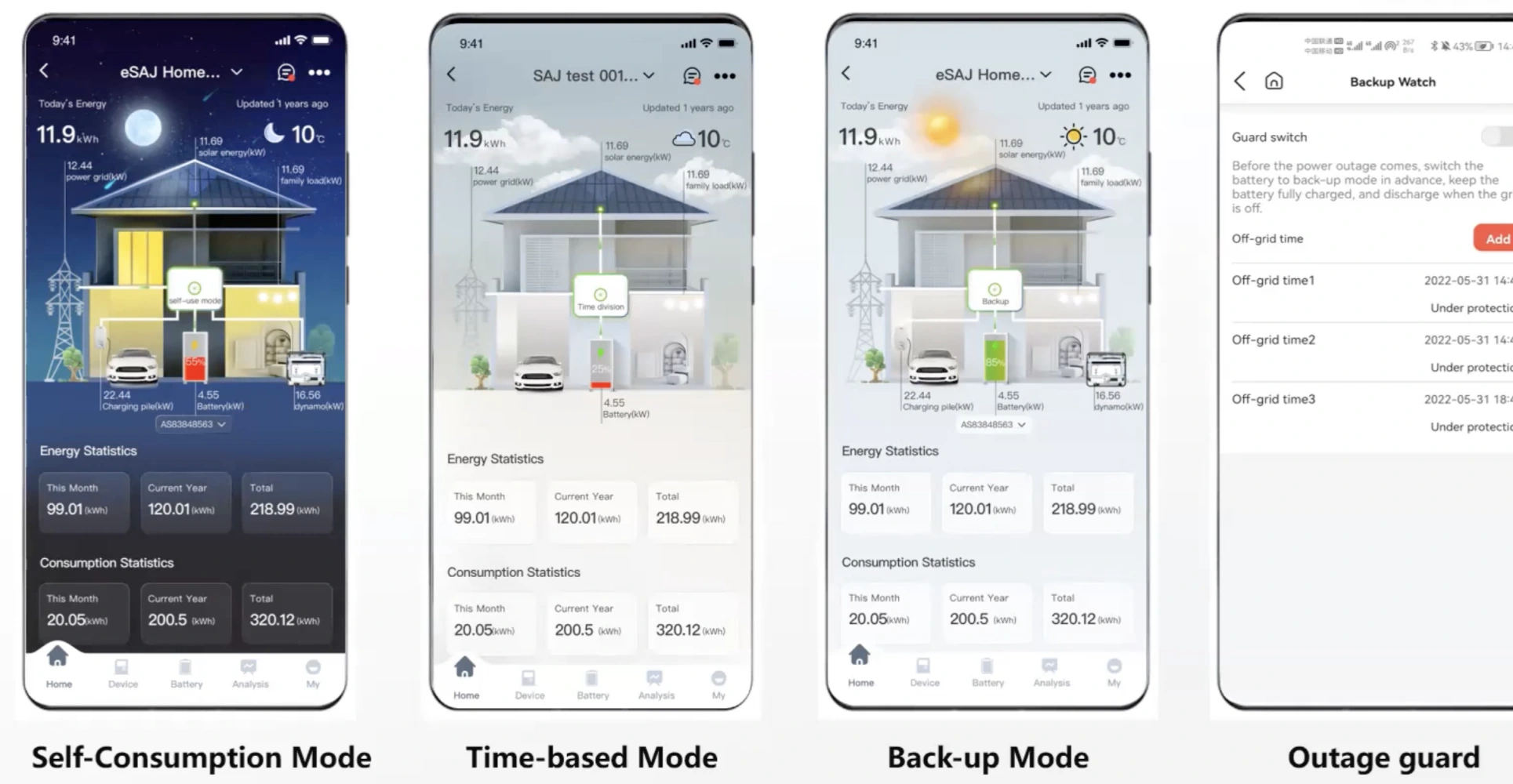
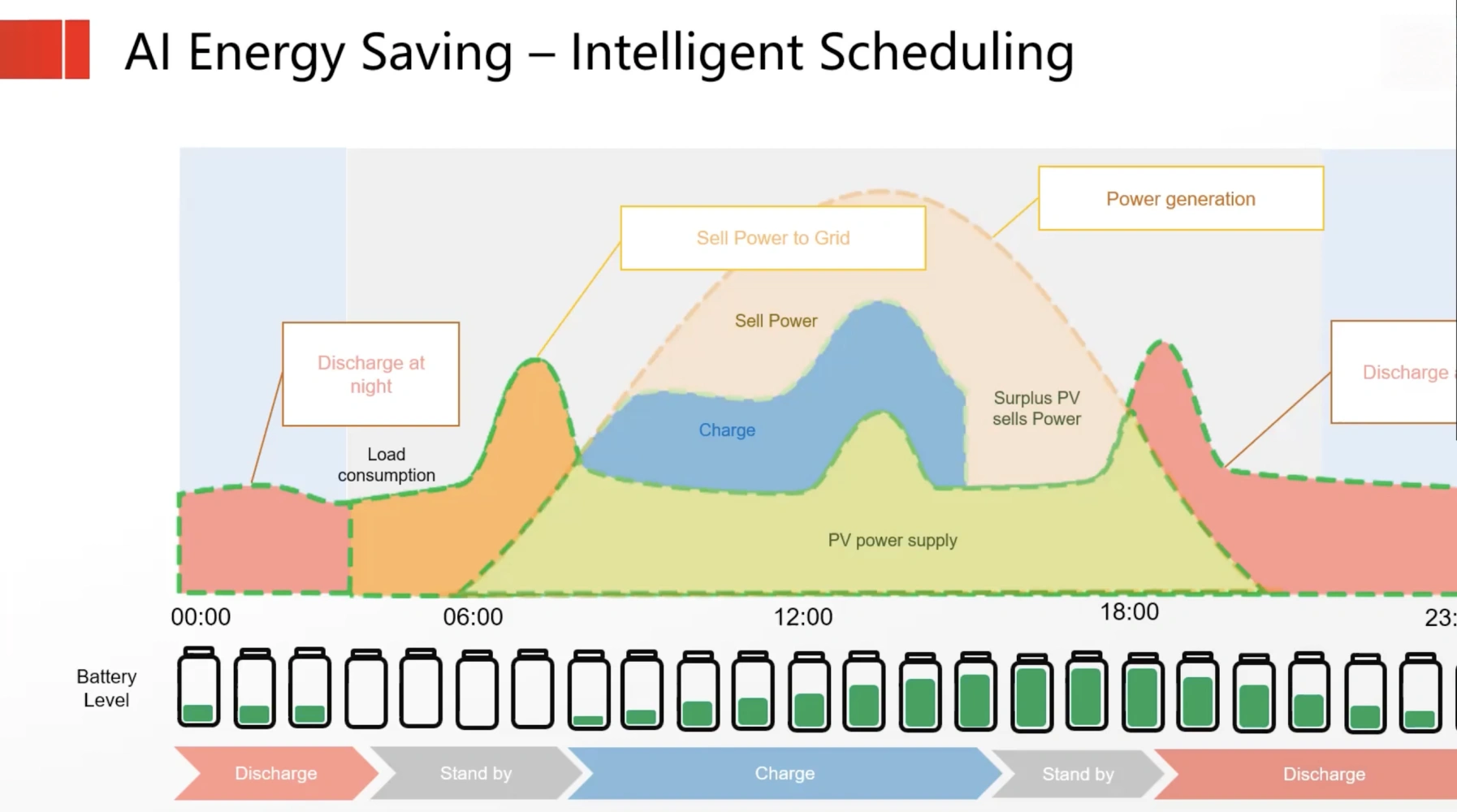
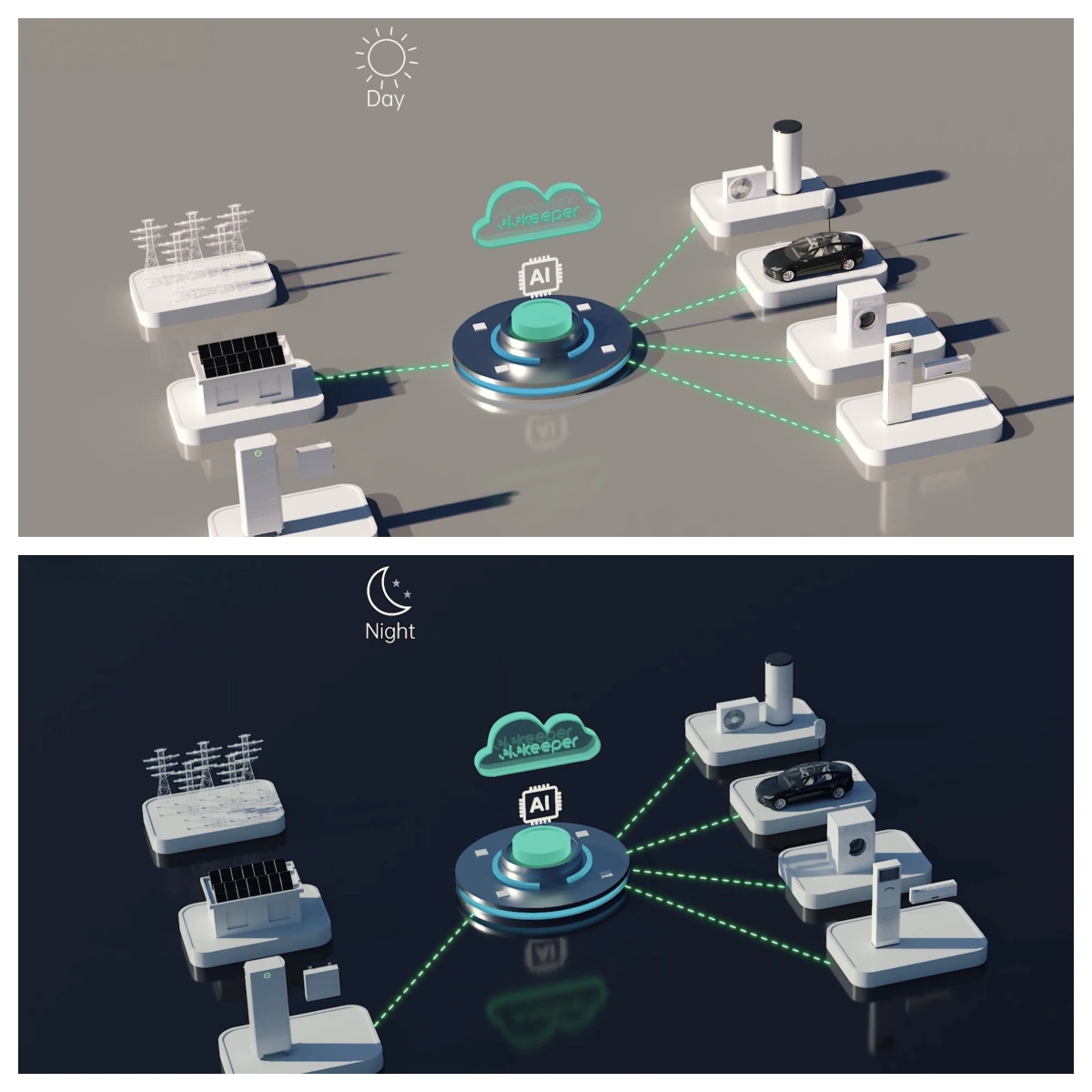
On mobile, AI switches help time charge/discharge with simple inputs; advanced control lives on SAJ EMS/Web1. Think “charge off‑peak” and “avoid peak import,” not heavy, fully predictive programming. Keep expectations practical.
Before you switch it on
- TOU tariffs2 configured; blocks don’t overlap.
- Correct time and timezone (re‑check after daylight saving changes).
- Stable connectivity (Wi‑Fi/4G).
- Reasonable SOC limits for daily charge/discharge.
After saving, re‑enter to confirm your settings persisted.
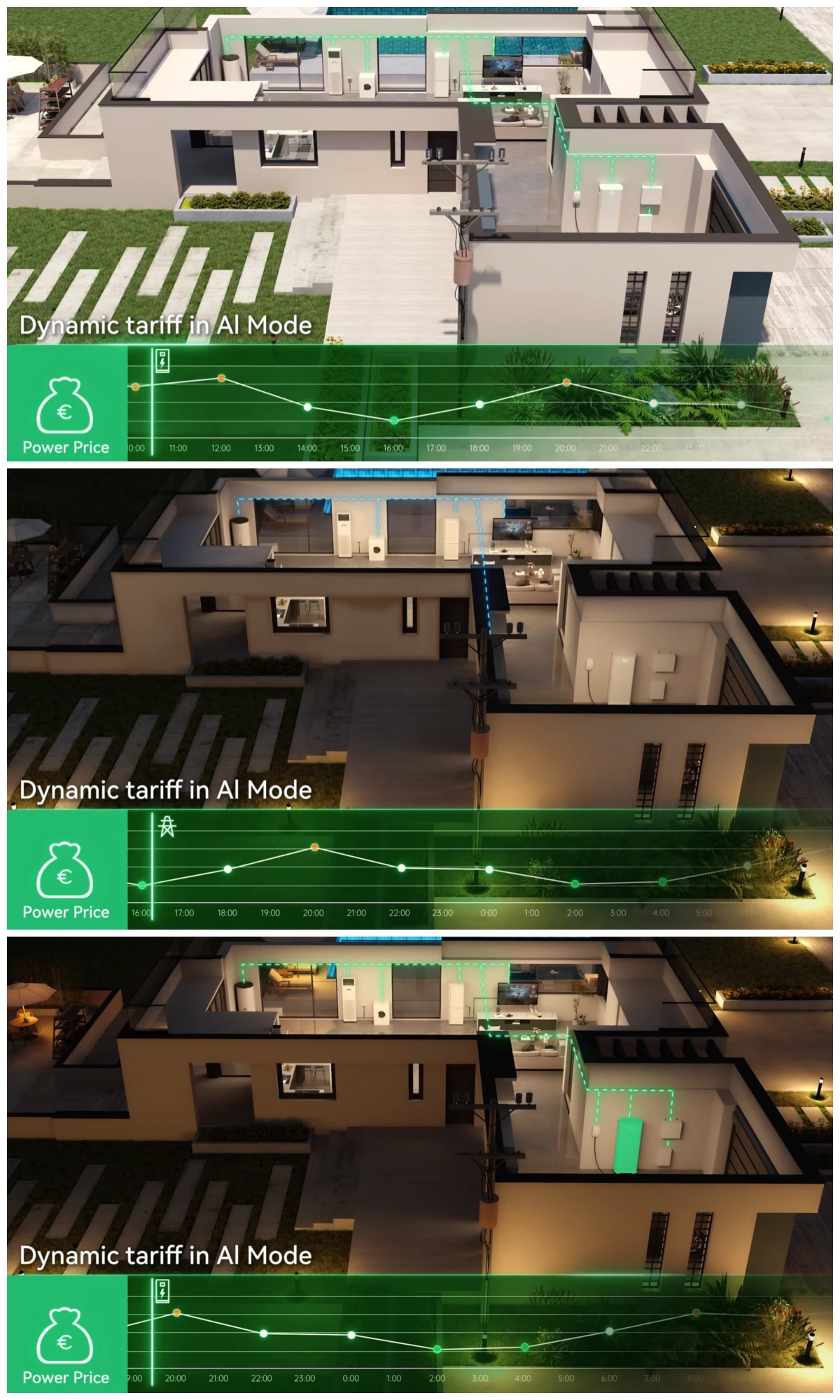
TOU actions at a glance (illustrative)
| Period | Typical action |
|---|---|
| Off‑peak | charge |
| Shoulder | adjust if needed |
| Peak | avoid import; discharge where supported |
When you need SAJ EMS/Web1 (and why)
If you want predictive scheduling, VPP participation, energy trading, or complex strategies, plan for SAJ EMS/Web1. The Elekeeper mobile app often summarizes those decisions and exposes simplified controls. If you’re unsure what fits your home and SAJ model, Sunriver Electric can help you think through options.
Expectations vs reality (no guaranteed savings)
Savings depend on your tariff shape, usage profile, weather and forecast quality, and regional support. Review outcomes monthly and tune gradually. Never guarantee a result.
Setup & connectivity — Quick start steps and final verification
Start near the device; verify data after setup to catch issues early.
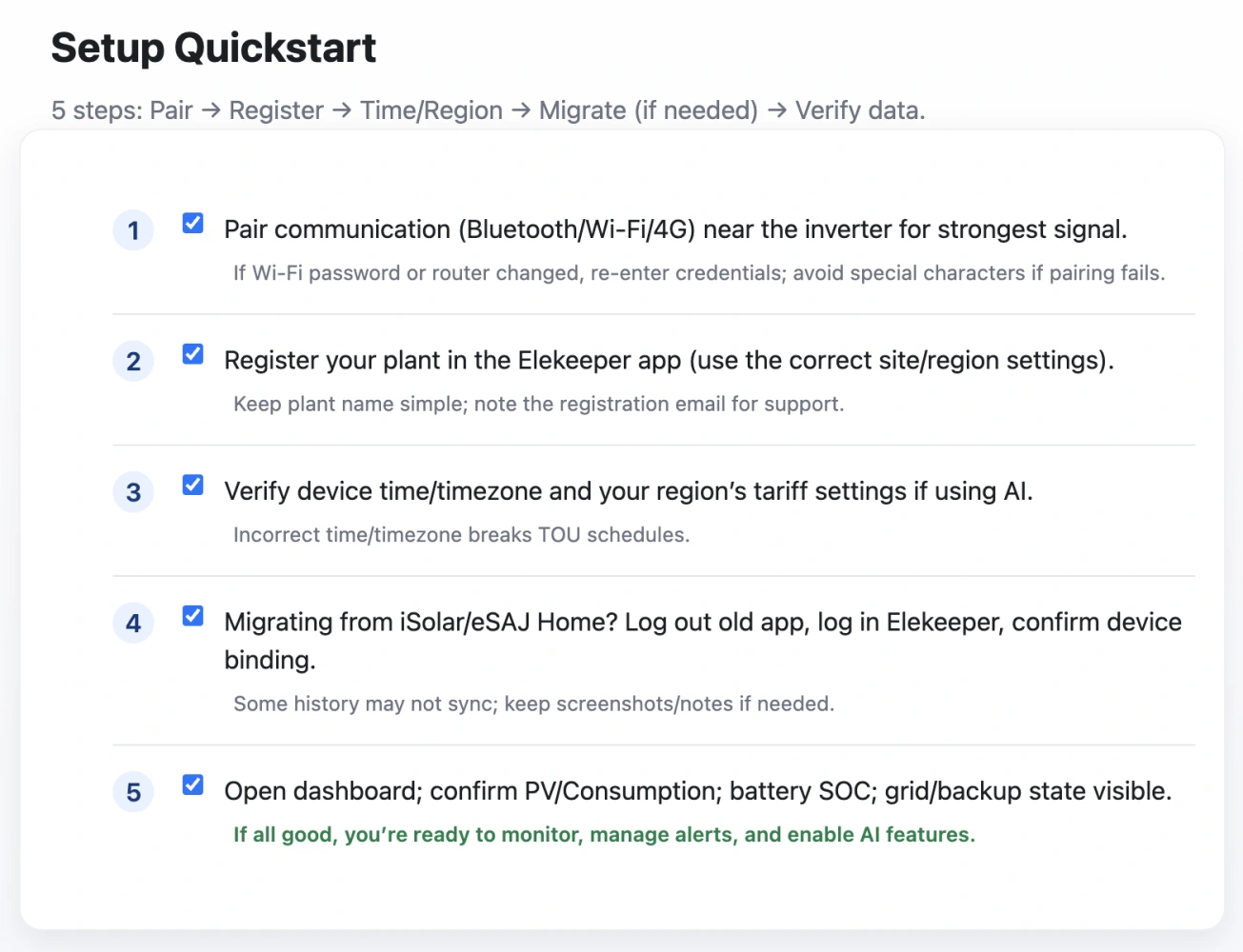
- Pair communications near the device. Wake the SAJ inverter if needed. If your Wi‑Fi password or router changed, re‑enter credentials. For 4G, confirm signal strength before pairing. (See the HS3 installation guide for step‑by‑step pairing detail.)
If pairing fails: simplify SSID/password special characters and retry. - Register your plant with a clear name. Add region/site basics and keep the registration email/account handy. It speeds up support later with Sunriver Electric or your installer.
- Time/Region & Tariff sanity. Set the correct time/timezone. Create non‑overlapping TOU blocks. Save, then re‑enter to confirm the changes stuck.
- Migrating from SAJ iSolar/eSAJ Home. Log out of the old app → log in to SAJ Elekeeper → confirm device binding. Historical data may differ; during the transition, keep a few screenshots and short notes.
- Verify data as a last step. Check that PV, Consumption, SOC, Grid, and Backup are visible. If panels look empty: daylight/device awake, period set to “Today,” network/timezone OK, app version current. Near real‑time is fast, not instant—allow a short delay.
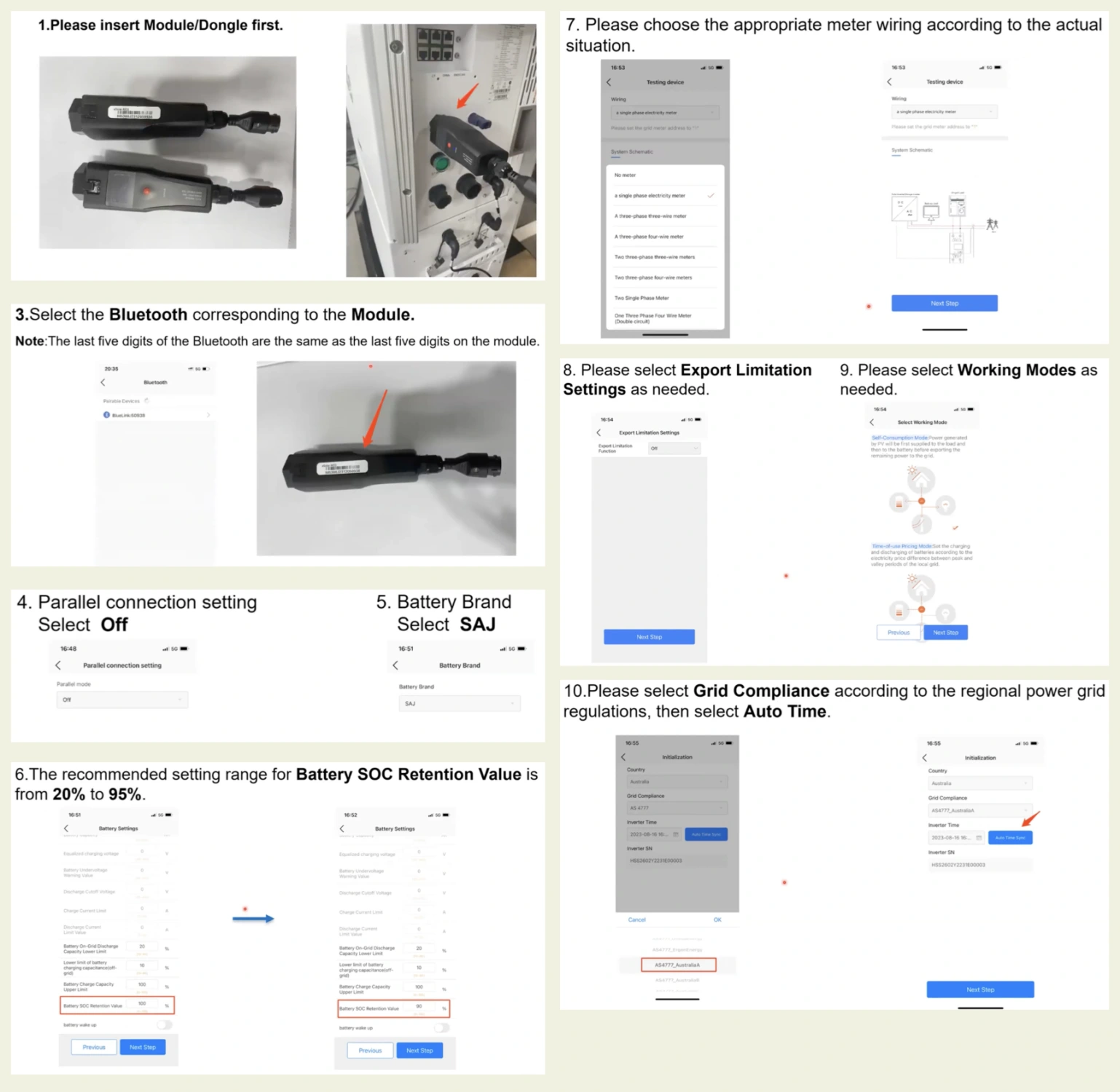
Variability & privacy — Quick notes you should check
- Variability: App UI, labels, and features vary by model, region, firmware, and app version. Updates can change entry points. Treat screenshots as indicative.
- Privacy: Common permissions include network and notifications; some modules may request location. Review App Store/Google Play data‑safety pages. If multiple family phones use the app, review sharing and access settings.
Expect UI differences by model/version, and review permissions if multiple phones share the SAJ Elekeeper app.
FAQ — Quick fixes to common issues
- Why does it show 0 kWh today? Check daylight and that the device is awake. Set the period to “Today,” wait briefly, and verify connectivity. Correlate with recent events (outage, maintenance, firmware).
- TOU not applying—what did I miss? Confirm time/timezone and that TOU blocks don’t overlap. Save, then re‑enter to verify settings persisted. Confirm regional support.
- Connectivity hiccups—fast reset path. Reboot the SAJ inverter and the router. Re‑enter Wi‑Fi credentials and test near the inverter. Check 4G signal. Simplify SSID/password special characters and try again.
More quick fixes in the Sunriver Electric FAQ.
Next steps — Build a weekly habit that pays off
Build a weekly habit: see clearly, act with priority, optimize with AI.
Work a simple weekly habit with the SAJ Elekeeper app: see clearly (Monitoring), act with priority (Alerts), and time your energy (AI). Keep your event log short and specific; it will save you time and guesswork. If issues persist, share screenshots, codes, and times with Sunriver Electric—we’ll triage with your installer and make sure you get the most from your SAJ system. When mobile feels limiting, we’ll help you explore SAJ EMS/Web1 options that fit your home.
Contact Sunriver Electric